Create a Project
A project is one thematic site or business direction. Sources, pipelines and destinations are added inside a project.
Create
-
Open Projects and click New Project.
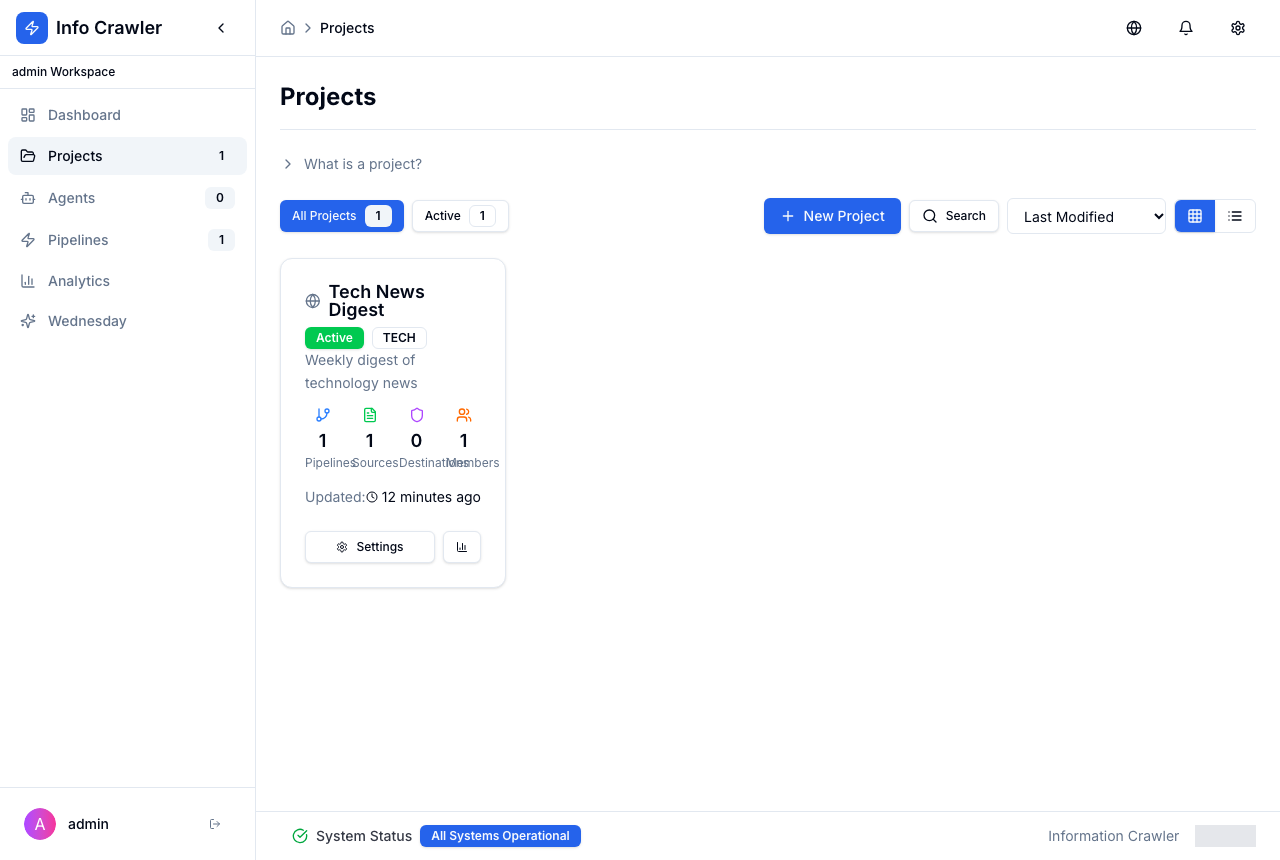
-
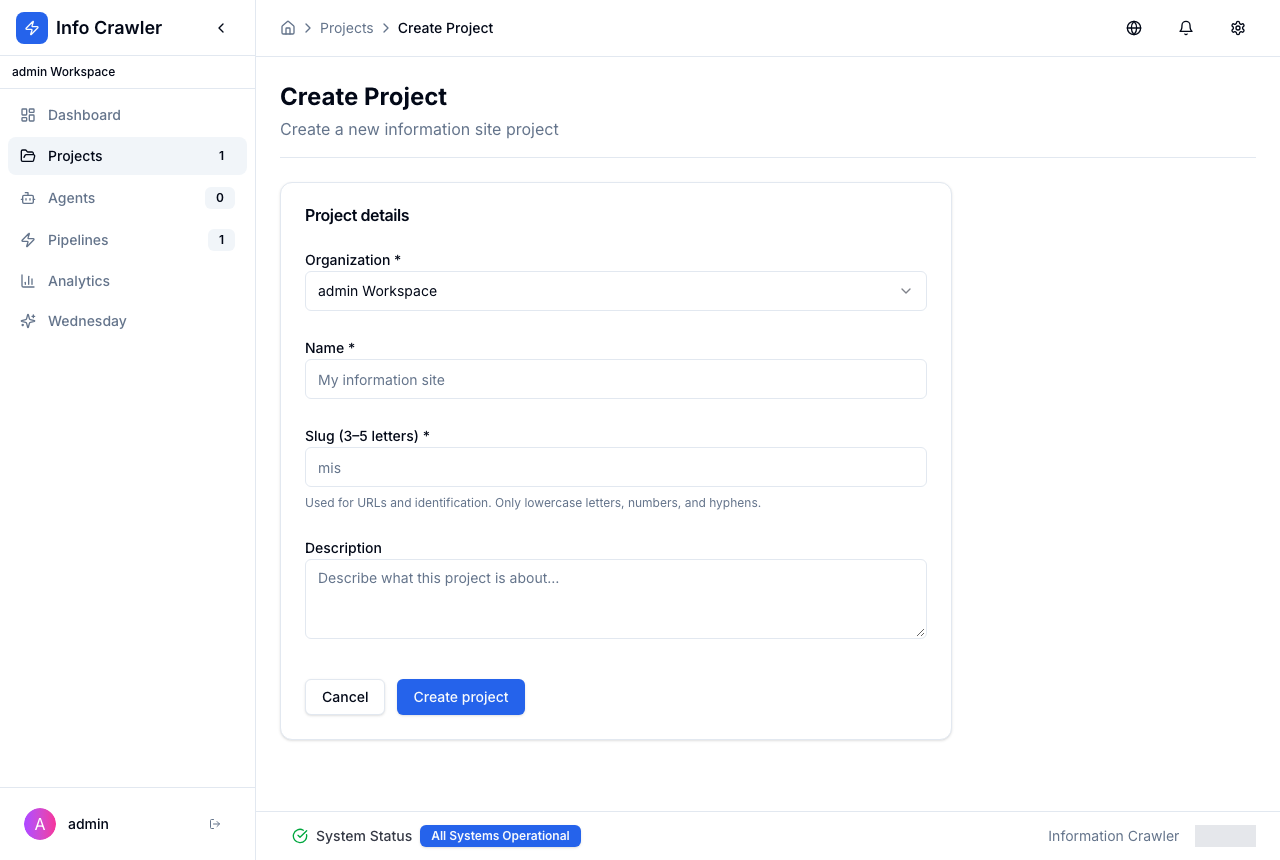
Fill in the form:
- Organization --- the workspace that owns the project.
- Name --- for example "Tech News Digest".
- Slug --- 3--5 lowercase letters, digits or hyphens (for example
tech). It is used in URLs. - Description --- optional.
- Click Create project.
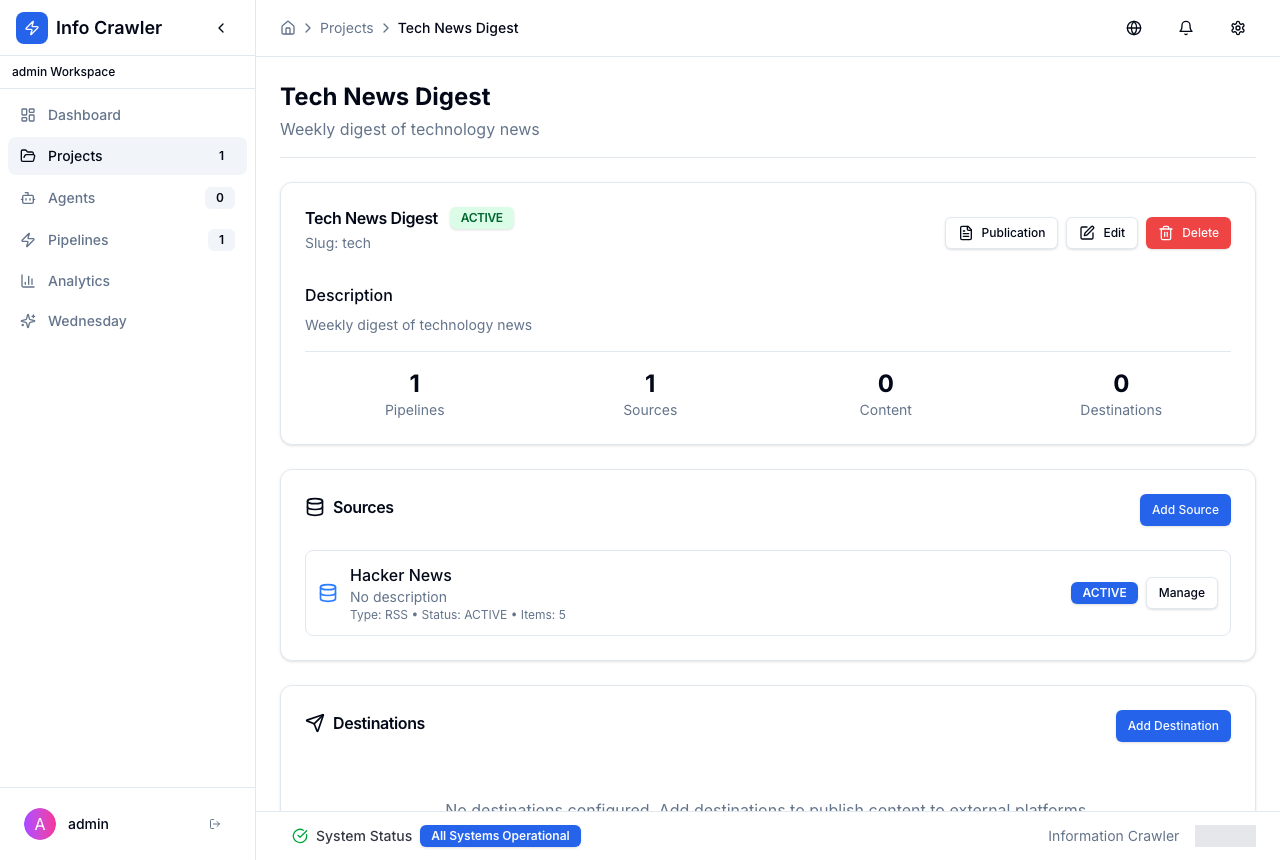
Project page
The project page shows counters and three blocks: Sources, Destinations and Pipelines. Use Add Source, Add Destination and Add Pipeline to fill them. Publication opens the publication dashboard; Edit and Delete change or remove the project.