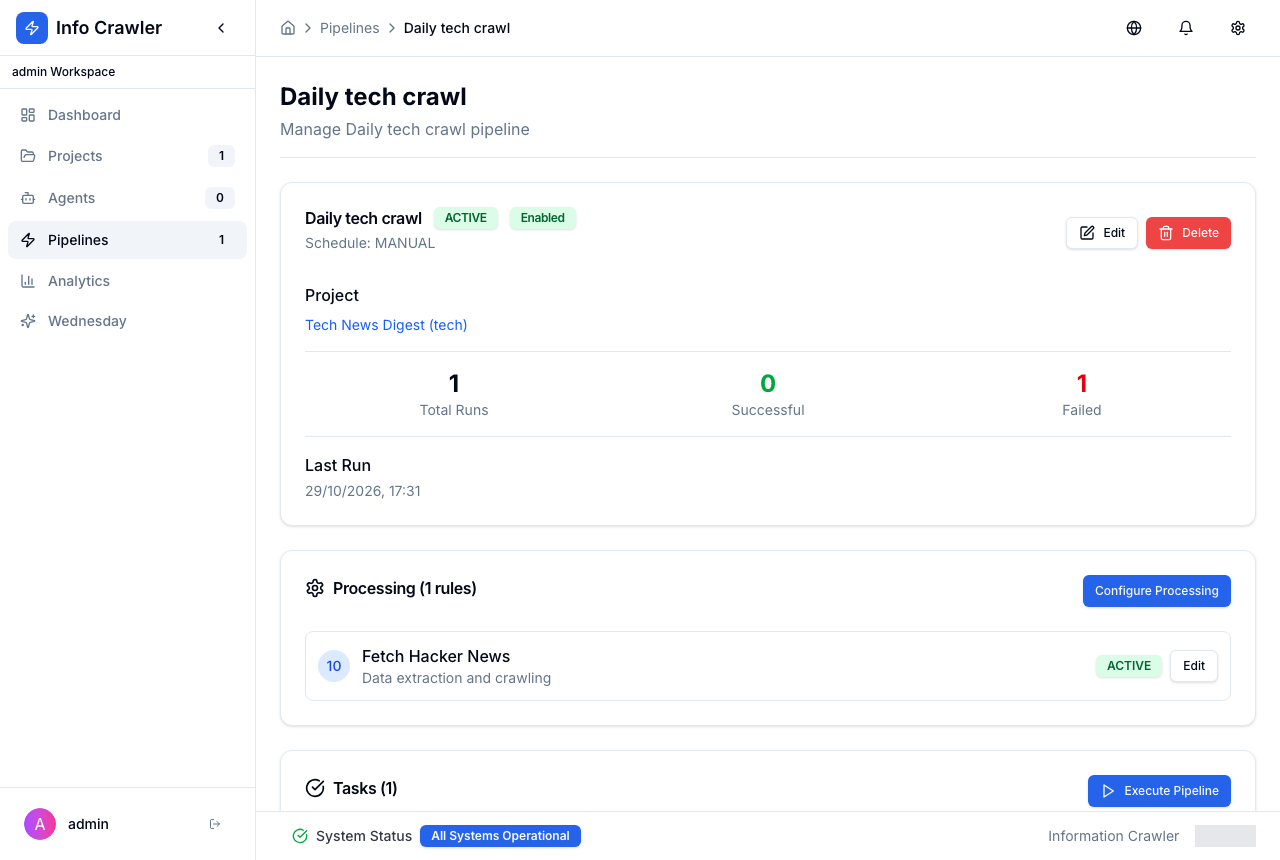
Create a Pipeline
A pipeline runs processing rules in order: crawl sources, then transform, generate or publish content.
Create the pipeline
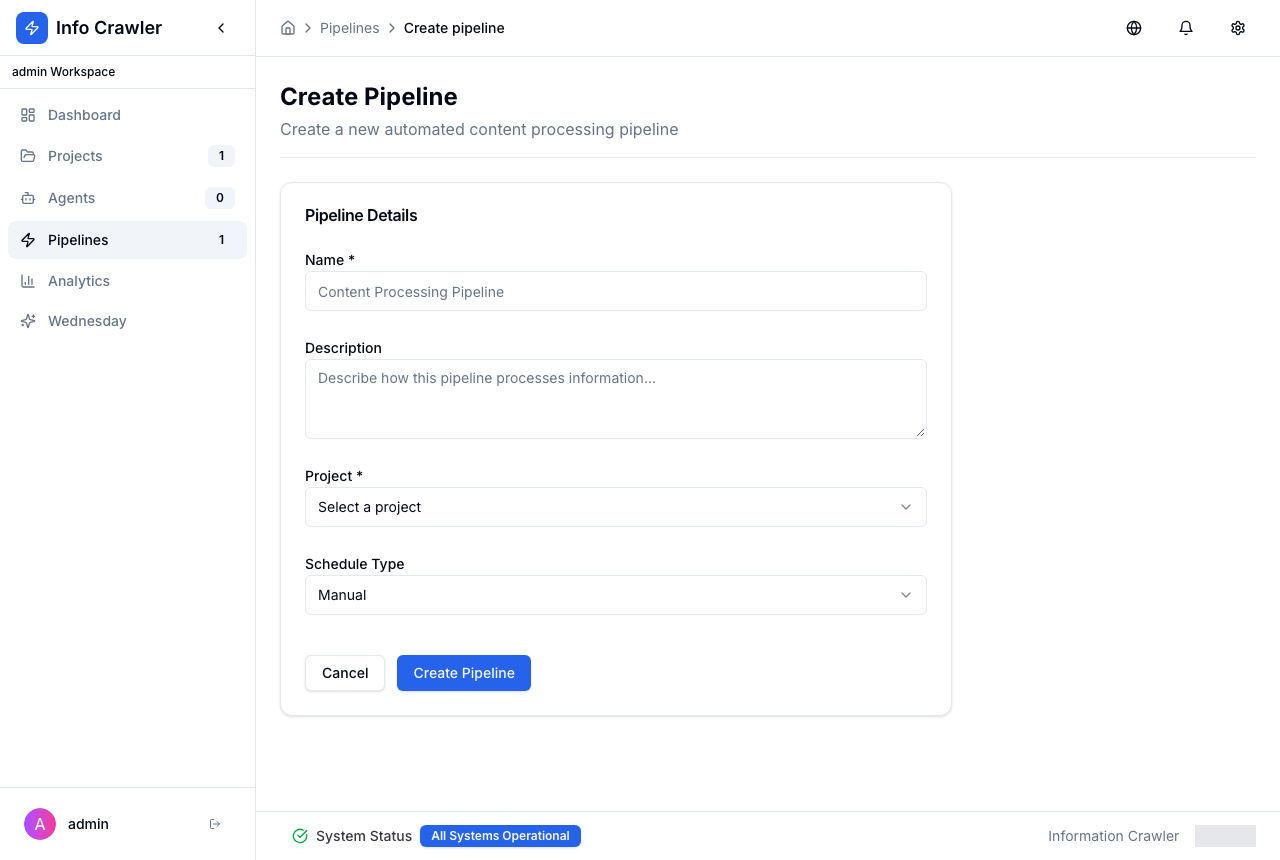
- Open Pipelines and click Add Pipeline (or Add Pipeline on the project page).
- Enter Name, choose Project and Schedule Type: Manual, Interval or Cron.
- Click Create Pipeline.
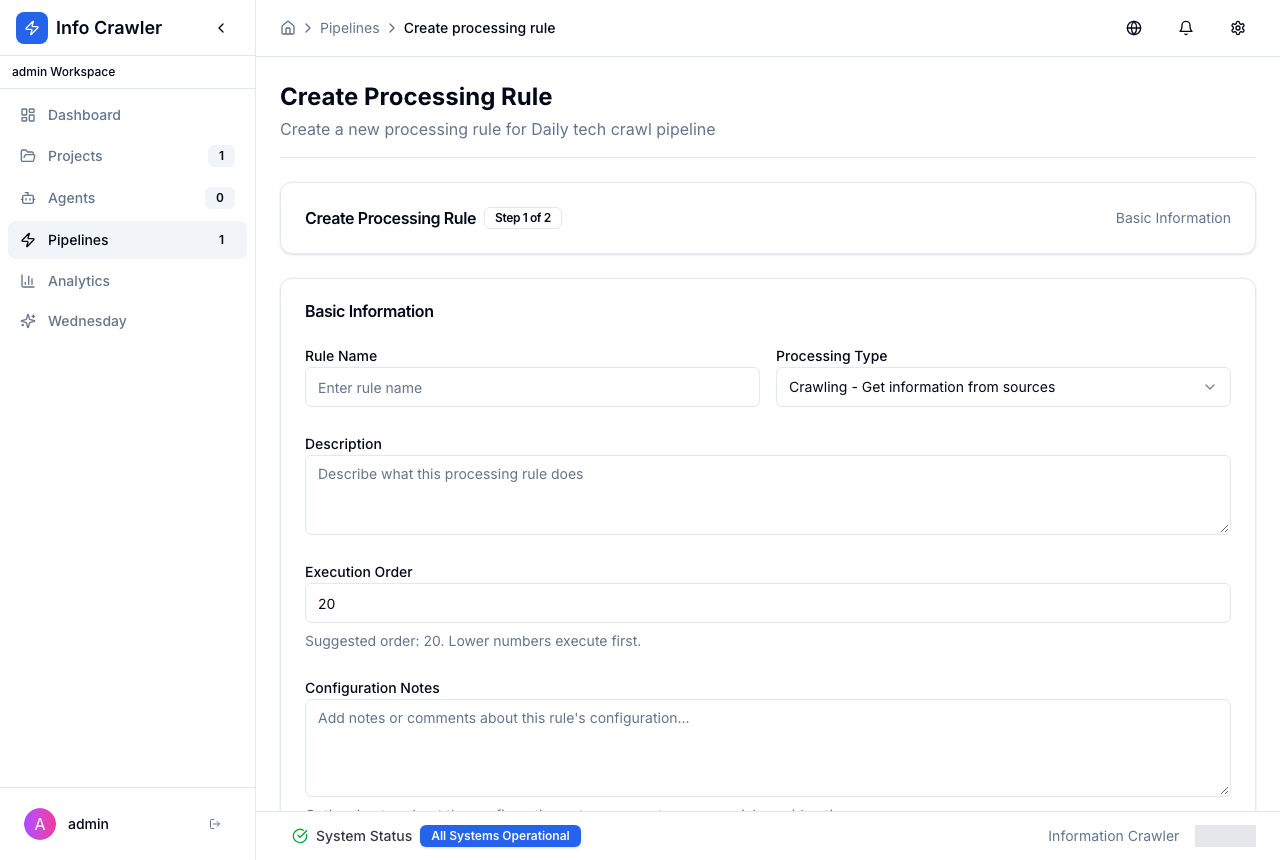
Add a processing rule
- On the pipeline page, click Configure Processing, then add a rule.
- Step 1: enter Rule Name, choose Processing Type (for collecting content --- Crawling) and keep the suggested Execution Order. Click Next: Configure Rule.
- Step 2: on the Processing tab choose the source to crawl, then click Create Processing Rule.
Run
Click Execute Pipeline. Each run appears in Tasks with its status. A failed task shows the reason --- for example, a crawling rule without a source.